prospective
Practical guide
Recover my Prospective licence
Follow these steps using your existing folder. Computer and folder names shown are examples.
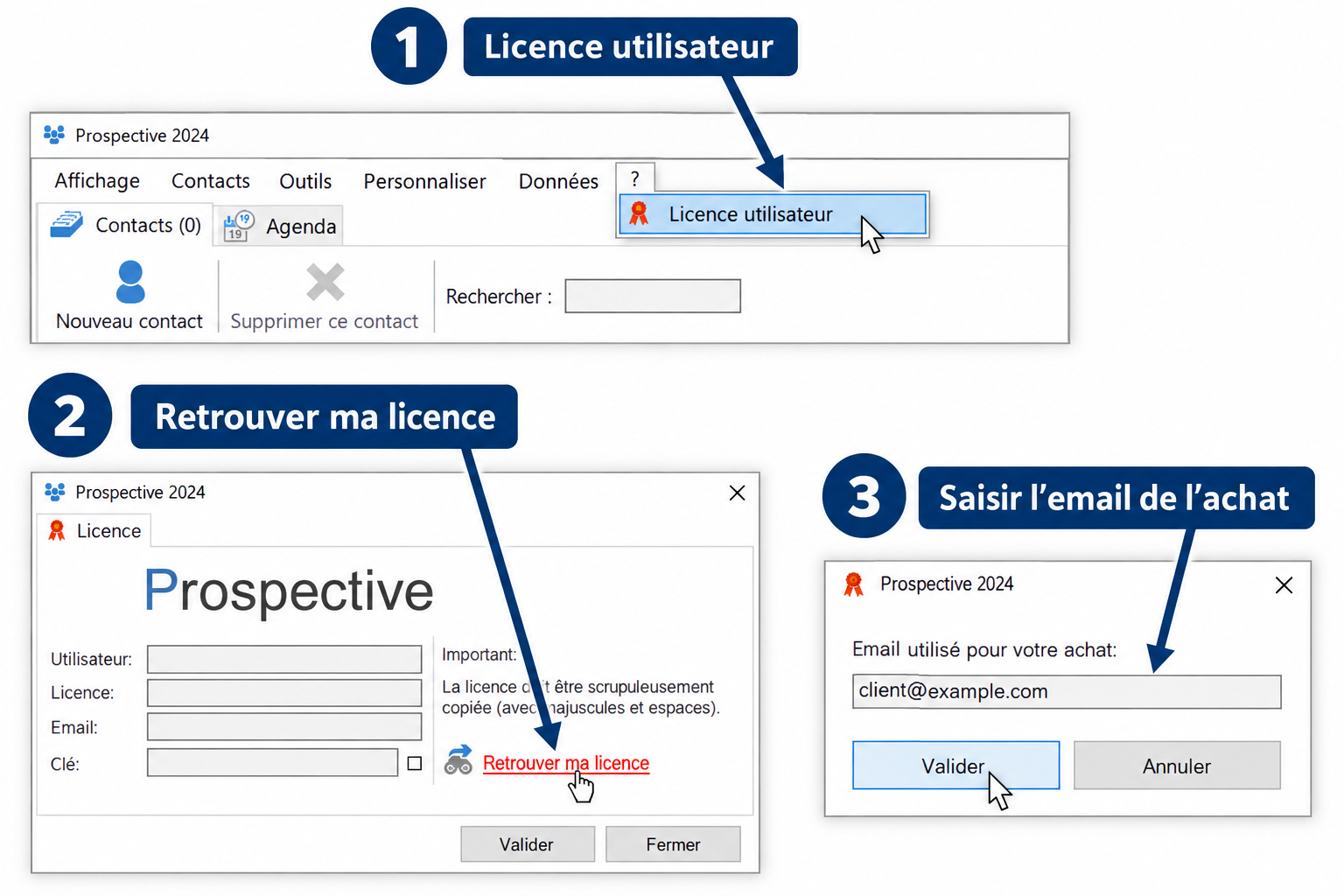
- Open the ? menu, then User licence (Licence utilisateur). Click Recover my licence (Retrouver ma licence).
- Enter the email address used for the purchase. Confirm the search, then the retrieved information. An Internet connection is required.
- An annual licence has a purchase date at the end of the key. It lasts one year from payment. A P2020 key without a date belongs to the historical version.
- If a valid licence is still rejected after recovery, use the contact form. Do not post your key or purchase email publicly.