prospective
Practical guide
Find my database in my personal cloud
Follow these steps using your existing folder. Computer and folder names shown are examples.
- Check that Google Drive, OneDrive or Dropbox is installed and signed into the right account on your PC. Wait for synchronisation to finish and ensure the files are available locally.
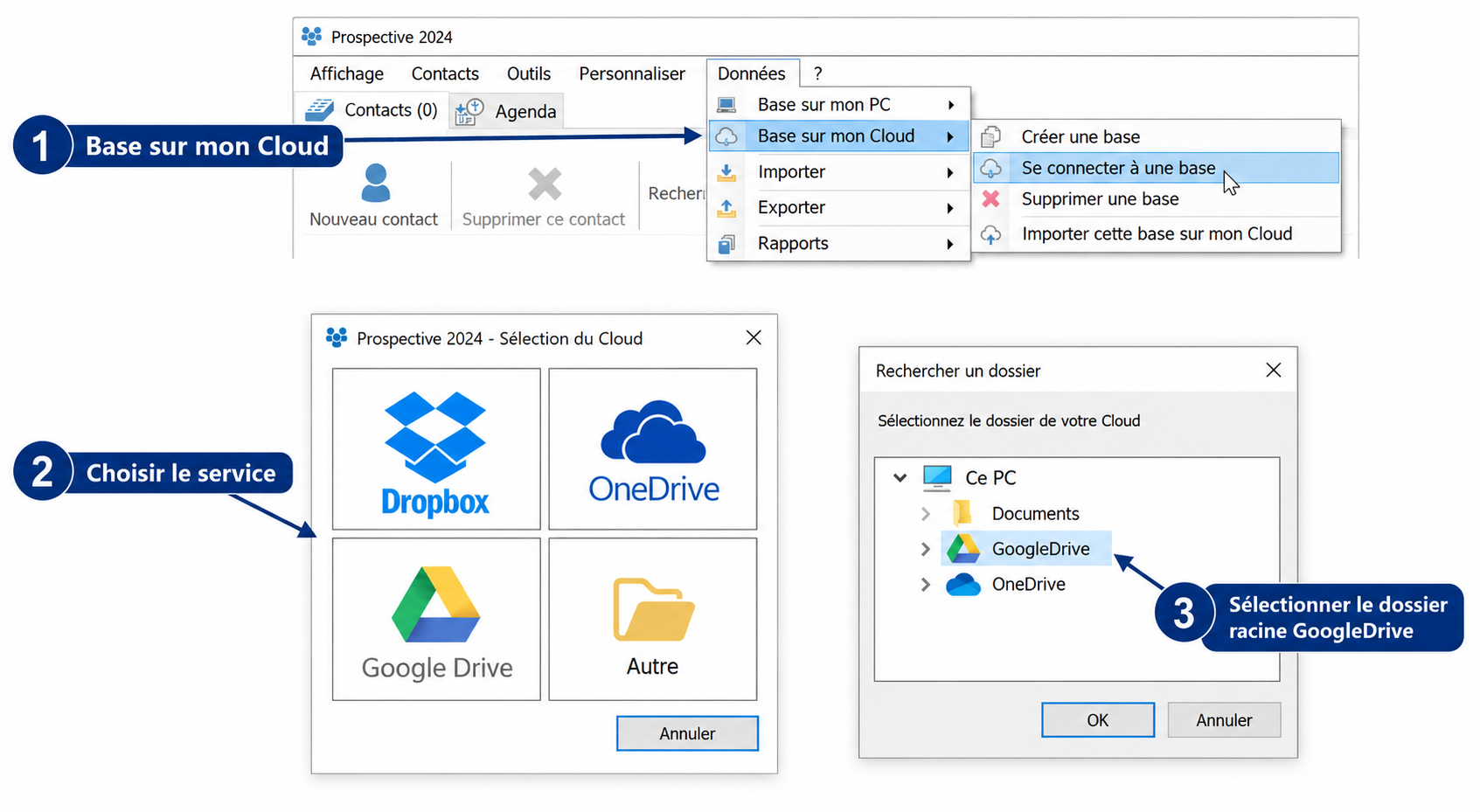
- In Prospective: Data > Database on my Cloud > Connect to a database (Données > Base sur mon Cloud > Se connecter à une base). Choose your provider.
- Select the provider’s local root folder, for example GoogleDrive. Prospective uses its Prospective subfolder: do not select that subfolder again in this step.
- Reconnect the existing database. Do not import an empty database over your files. Synchronisation uses the Internet and does not replace an independent backup.