 prospective
On your PC
Your file stays in a folder on your computer. You manage its backups.
The PC guide →Prospective
Where you store your data makes a practical difference. Prospective can use a database on your PC, in a shared folder on your local network or in your personal synchronisation folder.
The contact database stays in the folder you choose; Prospective does not host it. You control which Windows accounts can access it and how it is backed up.
Google Drive, OneDrive and Dropbox synchronise files over the Internet and store them with their provider. You choose the account and its sharing permissions. This is different from storage that stays entirely local.
Purchasing, checking and retrieving licences use online services. Cloud mode also uses coordination requests. External features you choose to use, such as email, may transmit the information needed to carry out that action.
Your file stays in a folder on your computer. You manage its backups.
The PC guide →A shared folder within your business, available to the computers you authorise.
The network guide →


Google Drive · OneDrive · Dropbox
Your files are synchronised over the Internet with the provider you choose.
The cloud guide →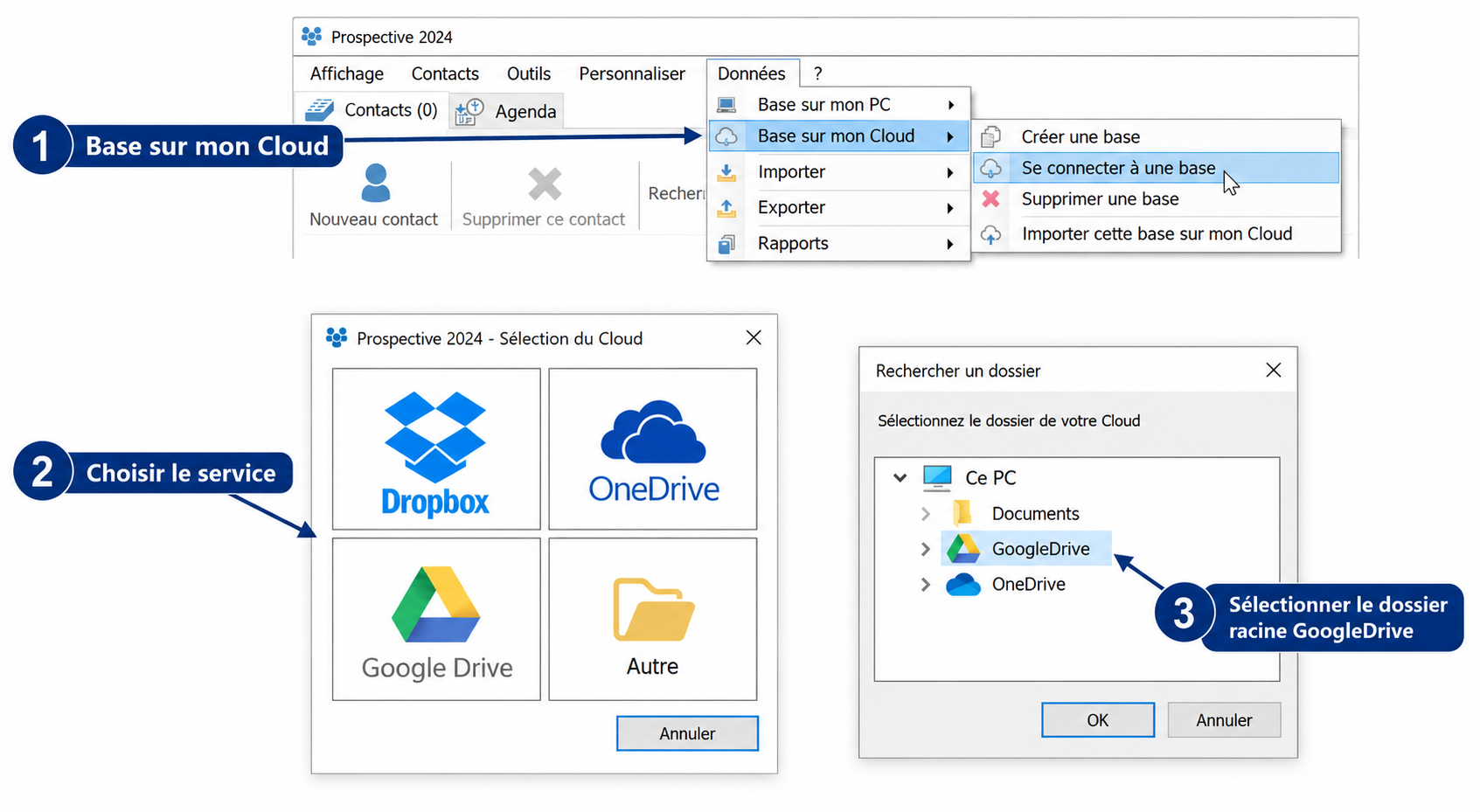
Try Prospective with your own workflow, on your PC.
Download the trial