prospective
Practical guide
Find my database on the network
Follow these steps using your existing folder. Computer and folder names shown are examples.
- Check that the computer hosting the database is on and reachable on your local network. Back up before making changes.
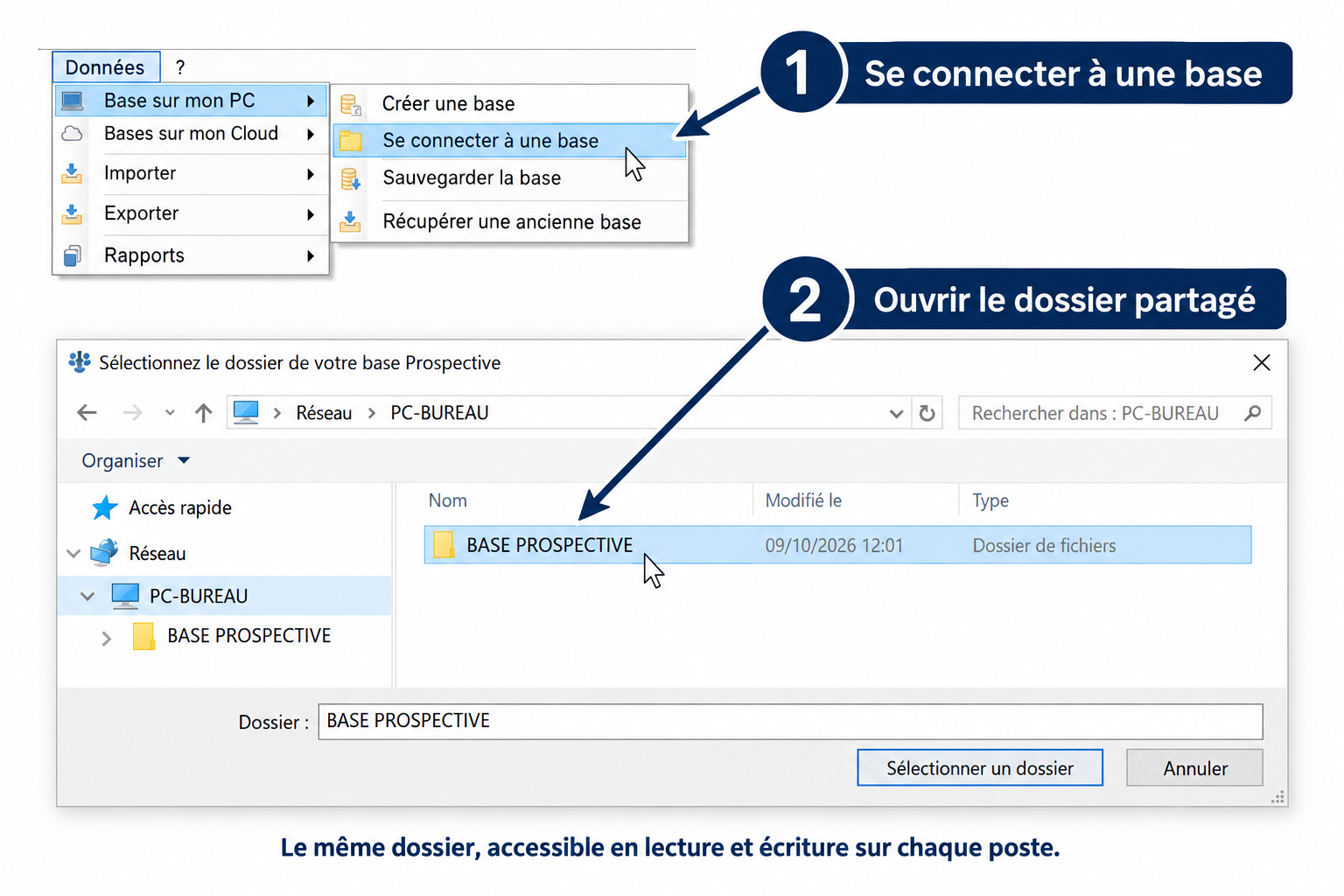
- In Prospective: Data > Database on my PC > Connect to a database. The “Base sur mon PC” menu is also used to select a network folder.
- In the Windows window, open Network, the host computer, then the database folder. Every computer must select the same shared folder.
- Check read AND write access using a small test file in the shared folder, then remove only that test file. Use the tutorial below if permissions are insufficient.